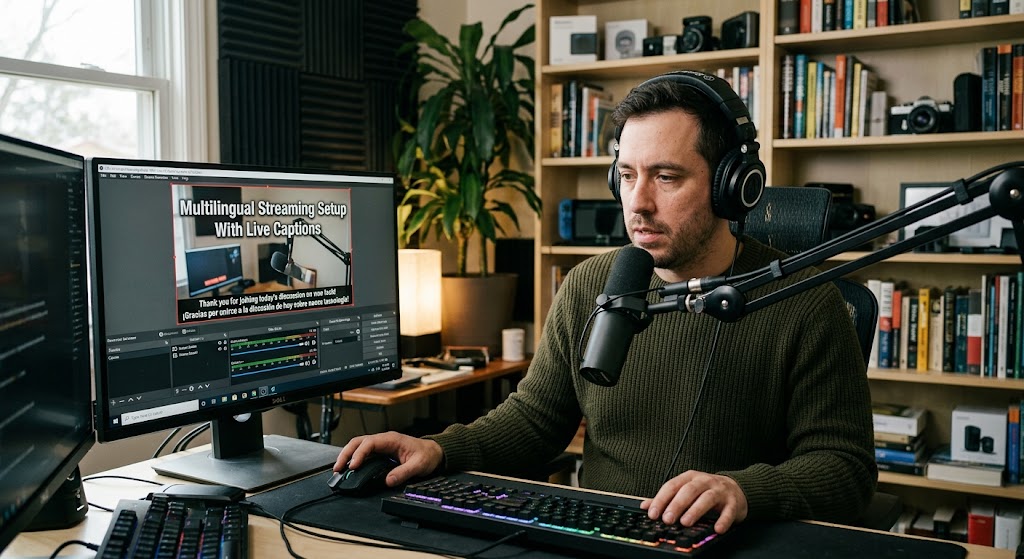
A creator can have thousands of potential viewers from Spain or Japan sitting right outside the virtual door, then watch them leave because they can’t understand a joke. A multilingual streaming setup changes that equation. You don’t need to suddenly speak five languages. You need to remove enough of the language barrier for international viewers to follow the conversation, understand the context, and stay.
YouTube itself says more than two-thirds of creator watch time, on average, comes from outside the creator’s home area, which makes translation more than a nice accessibility feature. It can become a genuine audience-growth lever.

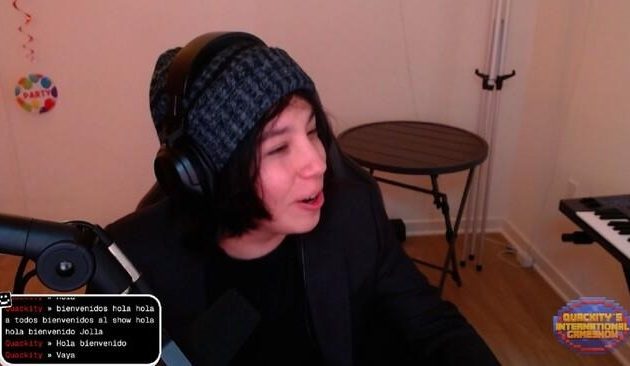
1. Multilingual Streaming Setup With Live Closed Captions Starts With One Clear Audio Source
The biggest mistake is trying to translate everything before fixing the original speech.
Your microphone is the foundation. If the audio is muddy, AI translation doesn’t magically become clever. It simply produces a faster version of the confusion.
Start With Clean Speech Before Adding Translation
Keep the microphone close, reduce background noise, and avoid playing music directly over your voice.
For gaming streams especially, separate your microphone from desktop audio inside OBS. This makes speech recognition much easier.
You can then create captions from the clean microphone source rather than forcing a translation tool to decipher the entire mix.
Live Closed Captions Should Stay Readable
Don’t cover half the gameplay with enormous subtitles.
A practical overlay should:
- sit near the bottom of the frame
- use high contrast
- show short lines
- avoid blocking important UI elements
- remain readable on mobile screens
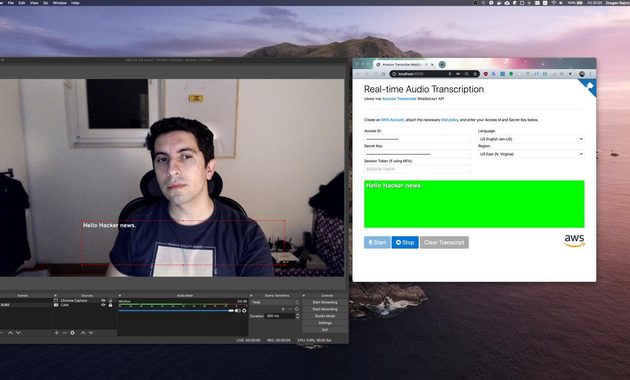
OBS-based workflows already support caption overlays. Dacast, for example, documents using a browser-based caption source inside OBS and cropping the capture to the subtitle area.
Accessibility Is Also a Retention Tool
Captions aren’t only for deaf or hard-of-hearing viewers.
They’re useful when someone is watching without sound, sitting in a noisy environment, or simply isn’t fluent in your spoken language. YouTube specifically recommends captions for non-native speakers and viewers watching in noisy environments.
That means your caption layer can quietly widen the audience without changing your actual content.

2. Auto Translation Extension And Global Audience Reach Turn One Stream Into Several Language Experiences
Here’s where the setup gets interesting.
Instead of producing separate streams for English, Spanish, Japanese, and Korean, you can generate translated captions from the same broadcast.
Browser Sources Keep OBS Relatively Simple
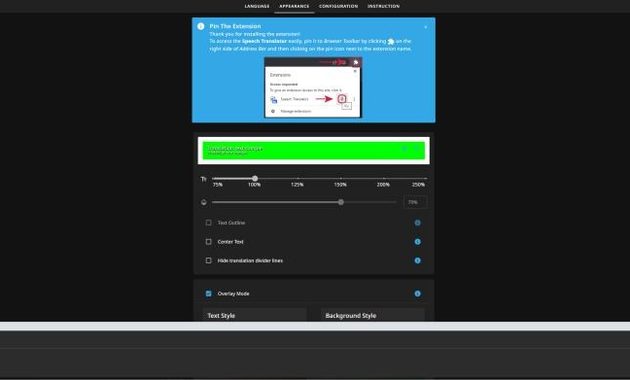
One current approach is using a translation service that generates a browser-source overlay. StreamTranslate, for example, describes a workflow where the creator selects the spoken and target languages, copies a browser-source URL, and adds it to OBS.
Another route is LocalVocal, an OBS plugin that can transcribe speech locally and translate it into multiple languages. It supports Windows, macOS, and Linux and is designed to process speech on the creator’s machine.
The choice comes down to what matters more to you:
- Browser source: easier installation and maintenance
- Local plugin: more control over processing and privacy
- Cloud translation: convenient when your computer isn’t powerful
- Local processing: useful when sending audio to an external service is undesirable
Don’t Translate Everything
This is where many creators go overboard.
Translate the parts that actually help comprehension:
spoken dialogue → translated captions → international viewer follows the stream
You don’t necessarily need translated overlays, memes, every alert, and every tiny text element.
The goal isn’t linguistic perfection. It’s reducing friction.
YouTube’s Native Option Has Important Limits
YouTube supports automatic live captions, but its current documentation says live automatic captions are available in English and depend on channel, latency, and other eligibility conditions.
So if your stream is primarily Japanese and you want Spanish subtitles appearing live, don’t assume YouTube’s native caption system will handle the entire job.
That’s exactly where external translation workflows become useful.
For viewers who want to understand foreign broadcasts rather than creators building them, this guide on changing language on live TV is a useful companion resource.
3. Language Barrier Reduction Works Best When You Measure Global Audience Reach
Adding subtitles doesn’t guarantee that viewers will suddenly double.
That’s the part worth being brutally honest about.
Translation removes one obstacle. It doesn’t fix boring content, poor pacing, weak thumbnails, or a stream that takes ten minutes to get started.
Watch Where International Viewers Drop Off
After adding translated captions, compare:
- average watch time
- returning viewers
- chat participation
- traffic by country
- average concurrent viewers
If Japanese viewers arrive but disappear after 30 seconds, translation isn’t necessarily the problem. They may simply have no reason to stay.
Give New Viewers A Reason To Speak
A multilingual audience shouldn’t feel like a silent tourist section.
Try simple prompts:
“Where are you watching from?”
“Type your country in chat.”
“Should I translate this part?”
These tiny interactions can turn passive viewers into participants.
The goal is not to pretend you’re fluent in every language. It’s to signal that international viewers are welcome.
Keep Human Review In The Loop
AI translation can struggle with slang, sarcasm, names, accents, rapid speech, and overlapping conversations.
That’s particularly dangerous during jokes. A mistranslated punchline can turn comedy into complete nonsense.
So test your most important language pair before going live. Say common phrases from your actual content and inspect the output.
A good global audience reach strategy isn’t “translate everything.”
It’s translate the right things, then measure whether people stay.
And once viewers understand you, the next challenge is no longer language. It’s giving them a reason to come back.

Amara Nwosu is a digital culture writer who has covered online media communities in Africa, Europe, and parts of Asia. She previously worked on international communications projects involving live conferences, cultural broadcasts, and multilingual digital campaigns. Her articles examine how internet access, local platforms, language, and cultural habits shape the way people create and watch livestreams around the world.