A creator may travel for work, study, vacation, events, or family reasons and still want to keep a live schedule active. The question can i go live in another country sounds simple, but the answer depends on more than internet signal. The platform, account eligibility, local access, content rights, audience time zone, and even viewer availability can change the live experience.
In most normal cases, creators can go live while traveling if their account is eligible, the platform works in that country, and the content follows local rules and platform policies. But “possible” does not always mean smooth. A live button may disappear, a feature may be limited, viewers may receive the stream at the wrong time, or certain content may not be available to people in specific regions.
For Global Livestream Sound of Text, this topic belongs in the Countries category because livestreaming across borders is not only a technical issue. It is a country-based access issue, a viewer behavior issue, and sometimes a legal or platform-policy issue.
Going Live Abroad Starts With Account Eligibility
Before worrying about the country, creators should check whether the account itself can go live. If the account does not meet the platform’s live requirements at home, traveling will not solve it.
YouTube’s mobile live requirements include at least 50 subscribers, no live streaming restrictions in the last 90 days, channel verification, live streaming enabled, and a supported Android or iOS device. YouTube also notes that the first mobile live stream may take up to 24 hours after live streaming is enabled.
TikTok says creators must be at least 18 years old to go LIVE, and its LIVE troubleshooting page says only creators who meet eligibility requirements can go LIVE.
Instagram’s Help Center says newly created accounts may not be able to go Live or co-broadcast and directs users to check account status for permissions. Another Instagram Help result notes that only public accounts with 1,000 followers or more can start a Live broadcast.
The main lesson is clear: if the live feature disappears abroad, do not assume the country is the only problem. Start with the account, age, verification, follower count, restriction history, and app permissions.
The Country Can Change What Works

Going live in another country can affect more than the location label. Some features may be available in certain countries and not others. Some platforms may adjust what viewers see based on region. Some live content may be limited by local law, rights, or platform rules.
YouTube, for example, says users can change language or location settings, and the location setting affects recommendations, charts, and news. That does not mean changing location controls all livestream reach, but it shows that country and region settings can influence what surfaces on the platform.
YouTube also lists country availability for its Playables feature inside mobile vertical live streams, showing that specific live features may be tied to supported locations even when the broader live function works.
Twitch’s geoblocking help explains that Twitch can limit viewing of a live stream to certain countries, including because of laws in a country. That matters for creators because even if they can broadcast, not every viewer may be able to access every stream in every location.
A Country Check Before Going Live
Creators should treat cross-border livestreaming like a short pre-flight check. The goal is not to make the process complicated. The goal is to avoid discovering the problem after viewers are already waiting.
| What To Check | Why It Matters Abroad |
|---|---|
| Account eligibility | The live button may not appear if the account fails platform requirements |
| App availability | Some apps or features may not work the same in every country |
| Local internet quality | Hotel Wi-Fi and public networks may be unstable for live upload |
| SIM or roaming plan | Mobile data may be expensive, throttled, or blocked |
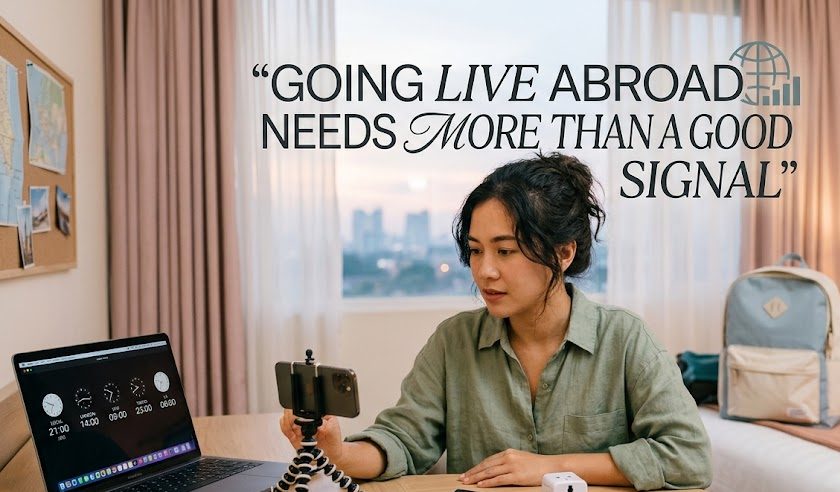
| Time zone | Viewers may miss the live if the schedule stays in your travel time |
| Content rights | Music, sports, events, and performances may have regional restrictions |
| Local rules | Some public places, events, or countries may limit recording or broadcasting |
| Viewer access | Geoblocking or platform restrictions may affect who can watch |
| Payment and monetization | Gifts, shops, ads, or payouts may differ by region |
| Backup plan | A second platform, replay, or delayed upload can save the session |
This checklist is especially useful for creators who depend on scheduled lives, live selling, paid communities, event coverage, or international audience timing.
Internet Signal Abroad Is Not Only About Download Speed
Creators often test internet by checking whether videos load quickly. That is not enough for livestreaming. Watching a video mostly depends on download speed. Going live depends heavily on upload stability.
A hotel connection may be fine for browsing but weak for broadcasting. A café Wi-Fi network may look fast until many people connect at the same time. Mobile roaming may work well in one neighborhood and fail in another.
Twitch’s streaming FAQ says the basic requirements for streaming include a stable internet connection and a tool that can broadcast video to the internet, such as a physical device or software encoder.
For creators abroad, this means the “stable” part matters more than the impressive speed test number. A stream with sudden upload drops can freeze, lose sound, or end unexpectedly.
Time Zone Mistakes Can Hurt More Than Technical Problems
A live session may work perfectly and still fail because the audience is asleep. This is one of the most common cross-border mistakes.
A creator traveling from the United States to Europe, from Indonesia to Japan, or from the UK to Australia may schedule the stream based on local travel time. But the regular audience may still live in the original time zone.
This can create strange results:
- regular viewers miss the session
- chat feels quieter than usual
- the creator thinks the topic failed
- viewers complain they did not get enough notice
- replay performs better than the live session
The fix is simple but often ignored. Announce the time in the audience’s time zone, not only the creator’s current country. If the audience is split across regions, include two or three major time zones in the post.
Content That Feels Normal At Home May Be Sensitive Abroad
Cross-border livestreaming is not only about apps. It is also about place, privacy, and local expectations.
A creator should be careful when streaming:
- Government buildings or security areas.
- Airports, train stations, or border zones.
- Private businesses without permission.
- Schools, hospitals, or religious spaces.
- Events with paid broadcast rights.
- People who did not agree to be filmed.
- Music performances with unclear rights.
This is not meant to scare creators. It is meant to prevent avoidable problems. A travel livestream can be fun, but a public place is still a real place with rules, people, and possible restrictions.
Monetization May Not Travel The Same Way
A creator may be able to go live abroad, but monetization features can be more complicated. Gifts, ads, live shopping, subscriptions, and payment tools may depend on platform policy, creator location, viewer location, tax setup, and country availability.
This is especially important for creators who use live selling, paid communities, tipping, or platform gifts. A live session may still broadcast, but the earning feature may behave differently.
The safest habit is to check the platform’s current monetization rules before traveling. Do not assume that the same buttons, payout settings, or shopping features will be available in every country.
A Better Plan For Going Live While Traveling
Going live in another country becomes smoother when creators separate three questions.
First, can the account go live?
Second, can the platform and feature work in that location?
Third, can the regular audience actually join at that time?
Those three questions prevent a lot of confusion. A creator may have the right account but poor timing. Another may have a strong schedule but a weak network. Another may have good internet but a platform feature that is not available in the current region.
A practical travel live plan can look like this:
- test the live feature before the trip
- enable live streaming early if required
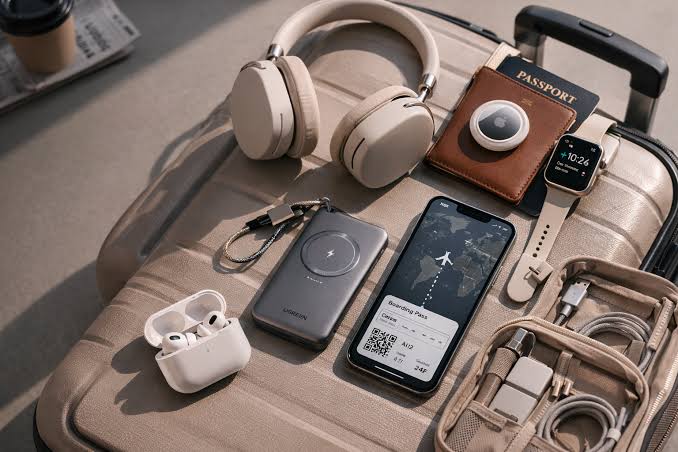
- bring a travel adapter and power bank
- prepare mobile data as backup
- check local upload speed
- avoid unknown public Wi-Fi for important streams
- announce time zones clearly
- avoid copyrighted music in public spaces
- save the stream or record a backup if possible
- prepare a replay or delayed upload if the live fails
This makes the live session less dependent on luck.
The Real Answer For International Creators
Yes, many creators can go live in another country, but the safer answer is: only after checking account eligibility, platform access, country-based feature limits, local rules, internet stability, and audience timing.
The live button is only one part of the experience. A creator abroad also needs to think like a traveler, a broadcaster, and a community host at the same time.
A good international livestream should not feel like the creator simply opened the app from a new location. It should feel planned enough that viewers can find it, watch it, understand the time, and enjoy the moment without confusion.


Amara Nwosu is a digital culture writer who has covered online media communities in Africa, Europe, and parts of Asia. She previously worked on international communications projects involving live conferences, cultural broadcasts, and multilingual digital campaigns. Her articles examine how internet access, local platforms, language, and cultural habits shape the way people create and watch livestreams around the world.